
Give it the missing detail
Use a fact you can confirm: the brand on a hidden label, a model code or “this is a CD, not an LP”. Keep the note short. If you are unsure, say so rather than turning a guess into an instruction.
- Open the item and tap the edit pen. Replace unclear photos if you have better ones.
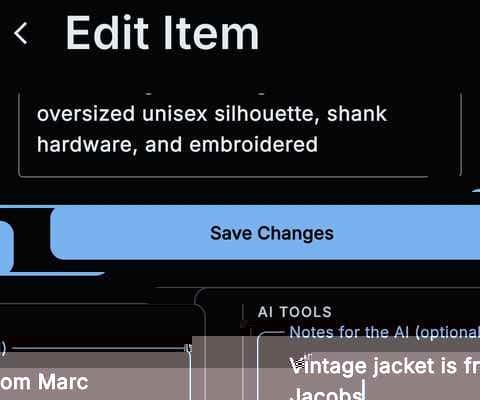
- In “AI tools”, add your clue under “Notes for the AI (optional)”.
- Tap “Re-Identify Item”, then check the updated identification.
What changes when you run it again?
The app saves your edits, analyses the item’s photos again and refreshes identification fields, such as title, description, category and estimated value. Details you recorded as the owner, including location, quantity, purchase details and your own notes, are preserved. Check the result before relying on it.
Each run uses one scan from your monthly allowance. Your note remains with the item and can guide later identification and price checks, so correct or remove it if it is no longer useful.
Does the item need new photos?
No. The app can use the existing photos. Replace an unclear image or add a useful close-up before running identification again.
What if the result is still wrong?
Check that the note is accurate, add a clearer photo if possible, or edit the details yourself. You do not need to keep repeating the analysis.