

Why we built a second capture mode
The Add flow is built to catalog. Photograph, keep, add, and the thing is yours and filed. That is the right shape for a shelf you own and the wrong shape for several jobs people kept doing anyway.
- Standing at a flea market table wondering whether a record is worth the asking price
- Working through a box in the attic, deciding what to keep, sell or let go
- Helping a friend work out roughly what a shelf of things is worth
- Looking up a lot of things quickly and deciding later where any of them live
Before Look up mode the only route through those jobs was to add everything permanently, which spent your item allowance on things you had not decided to own, and then delete what you did not want. That is slow, it makes a mess, and it feels wrong.
How does Look up mode work?
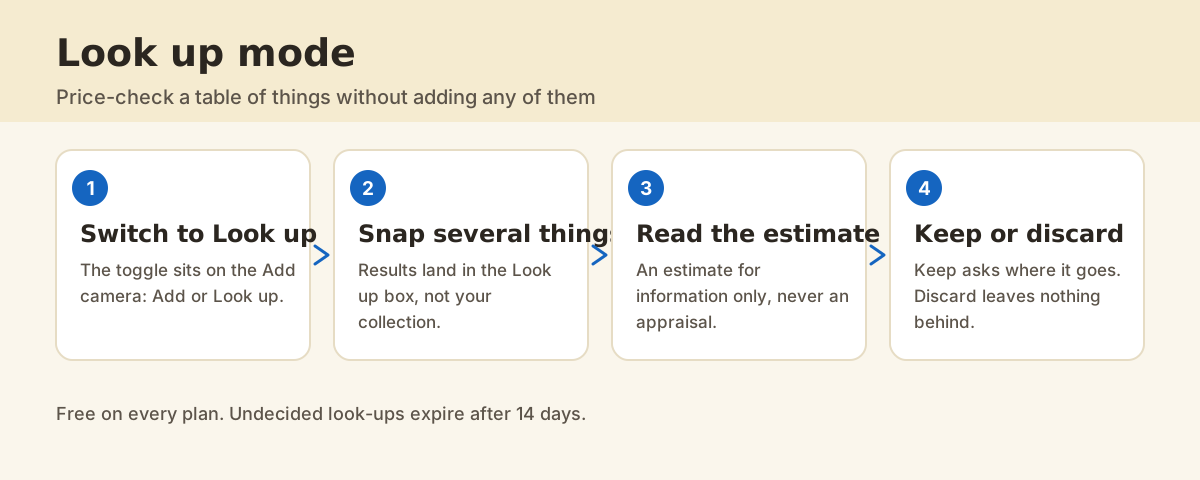
1. Switch the camera to Look up
The toggle sits on the Add camera and reads Add or Look up. Everything else about the camera behaves the same way, so there is nothing new to learn.
2. Snap things, one after another
This is the part Look up is for. Work along the table without stopping to file anything. Each result lands in the Look up box rather than in your collection.
3. Read what came back
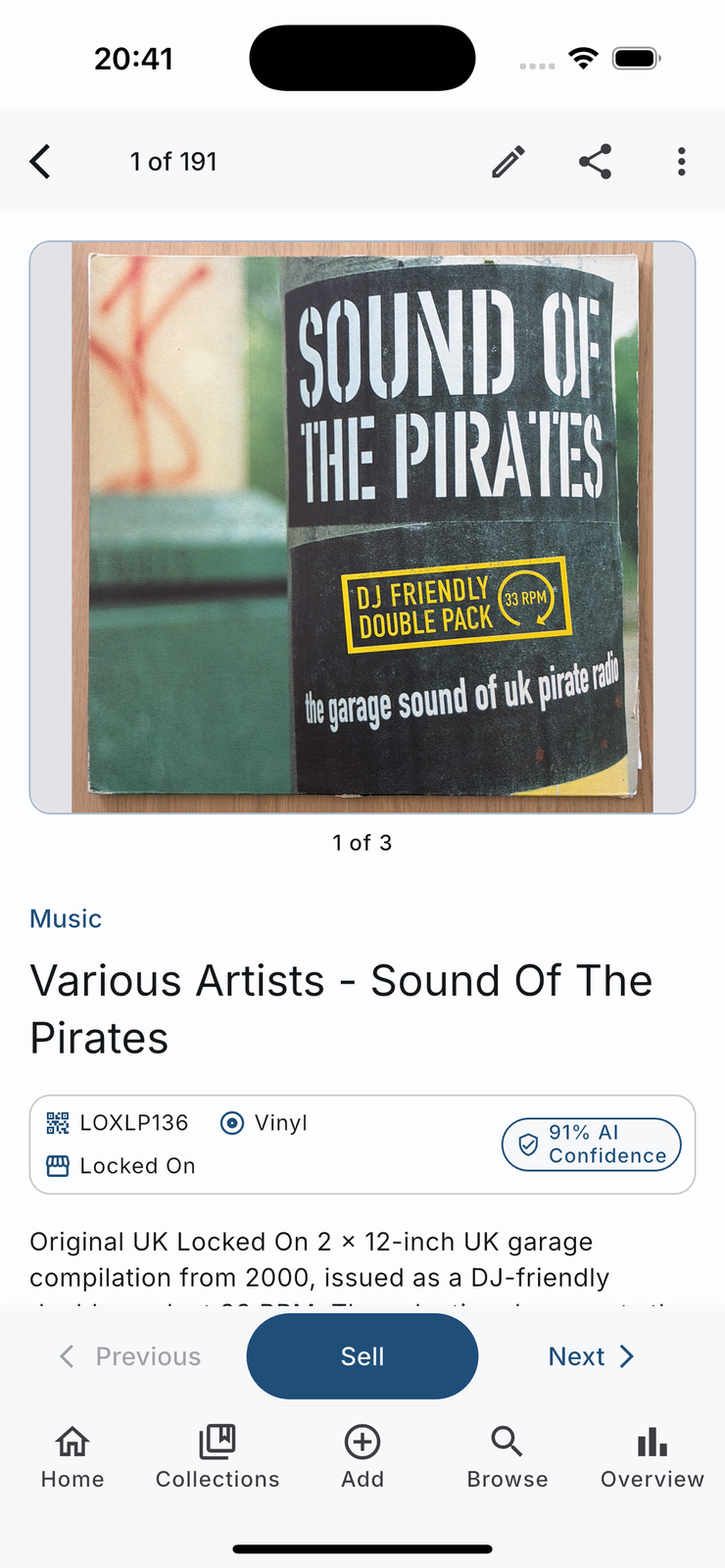
Open a look-up and you get the identification, the product details and, where one can be worked out, an estimated value. The estimate carries its disclaimer on the screen: an estimate for information only, never a professional appraisal. Condition and demand decide real prices, and no photo knows what a buyer will pay today.
4. Keep it or discard it
Keep asks where the thing lives and moves it into your collection, prefilled with the location you used last in this session. Discard removes it and leaves nothing behind. You can do both in bulk, which is the point when you have just walked a market.
What happens to look-ups you never decide on?
They expire after 14 days and move to the Expired and failed tab, so the Look up box stays a list of decisions rather than an attic of its own. Pin anything you want to keep waiting for you.
What does it cost?
Look up mode is free on every plan, and so are the bulk Keep and Discard actions. It draws on the same monthly scan allowance as ordinary cataloging, because the work behind a look-up is the same analysis.
FAQ
Does a look-up count against my item limit?
No. That is the whole point of the mode: a look-up lives in the Look up box, not in your collection, and only counts as an item once you keep it.
How accurate are the values?
They are estimates based on what comparable items tend to go for, and they are estimates for informational purposes rather than professional appraisals. Treat them as a starting point for a decision, not as a price.
Can I share a look-up before I keep it?
Yes. The staging detail screen can share the result as a web page or as text, which is useful when you are standing in a shop asking someone whether you should buy the thing.
What happens if I keep something by mistake?
It becomes an ordinary item, so you can edit it, move it, or mark it as having left your collection. Nothing about keeping is irreversible.